Why simulate the whole mission, not just the airframe
Most flight-control validation and most computer-vision development happen in separate
toolchains, tested in isolation from each other. This project asks a narrower question:
what does a UAV's detector actually see along a real, physically-modeled flight path —
before any hardware is procured, any battery is charged, or any airspace is requested.
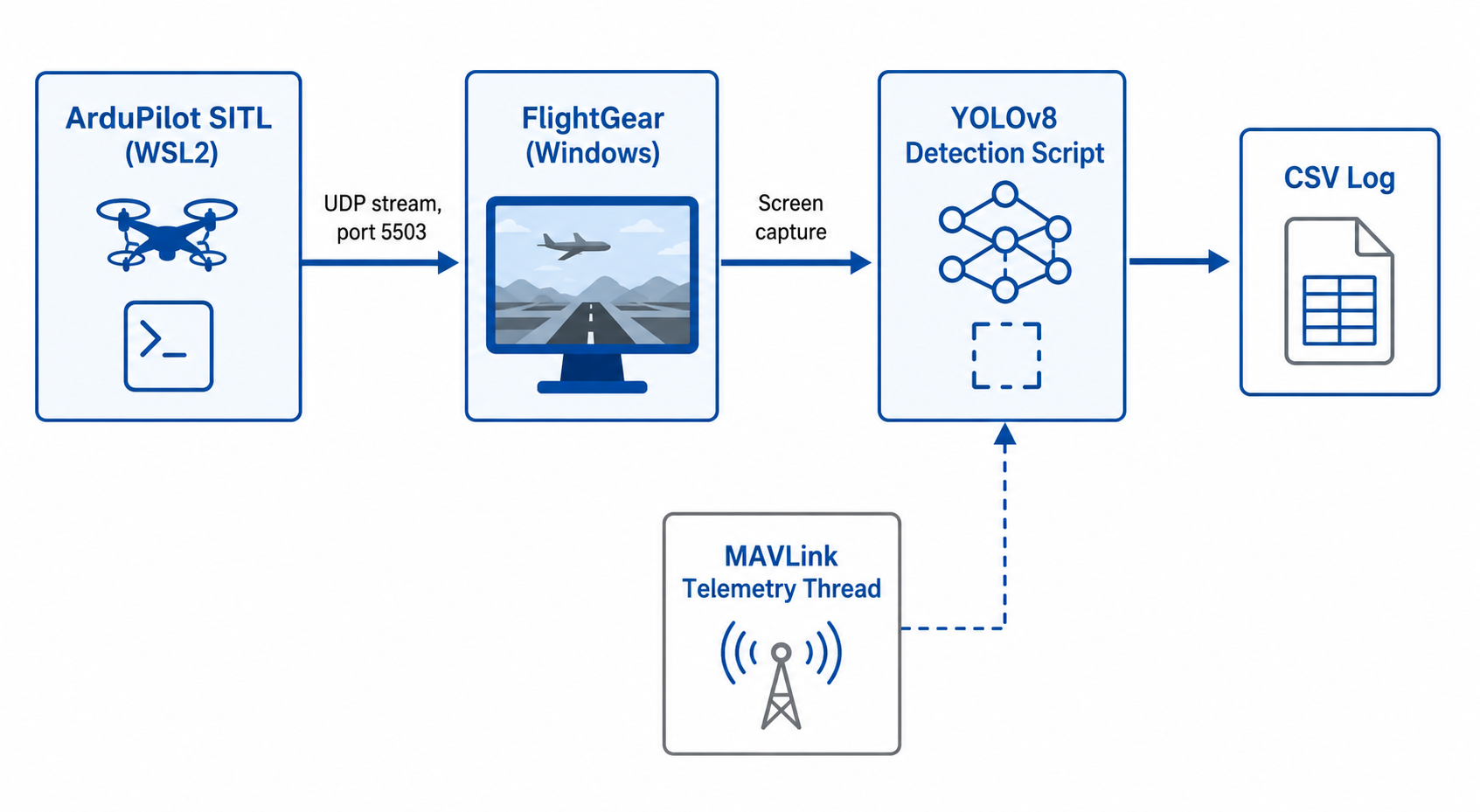
The result runs the same ArduPilot flight-control firmware used on physical autopilots
against a simulated vehicle model, with a VisDrone-tuned YOLOv8 detector reading the
visual scene the vehicle is flying through, and every detection stamped with the
vehicle's live GPS position via MAVLink.
Where it actually stands
Verified independently. Fusion into one continuous live feed is the current engineering phase — stated plainly, not smoothed over.
Flight Control
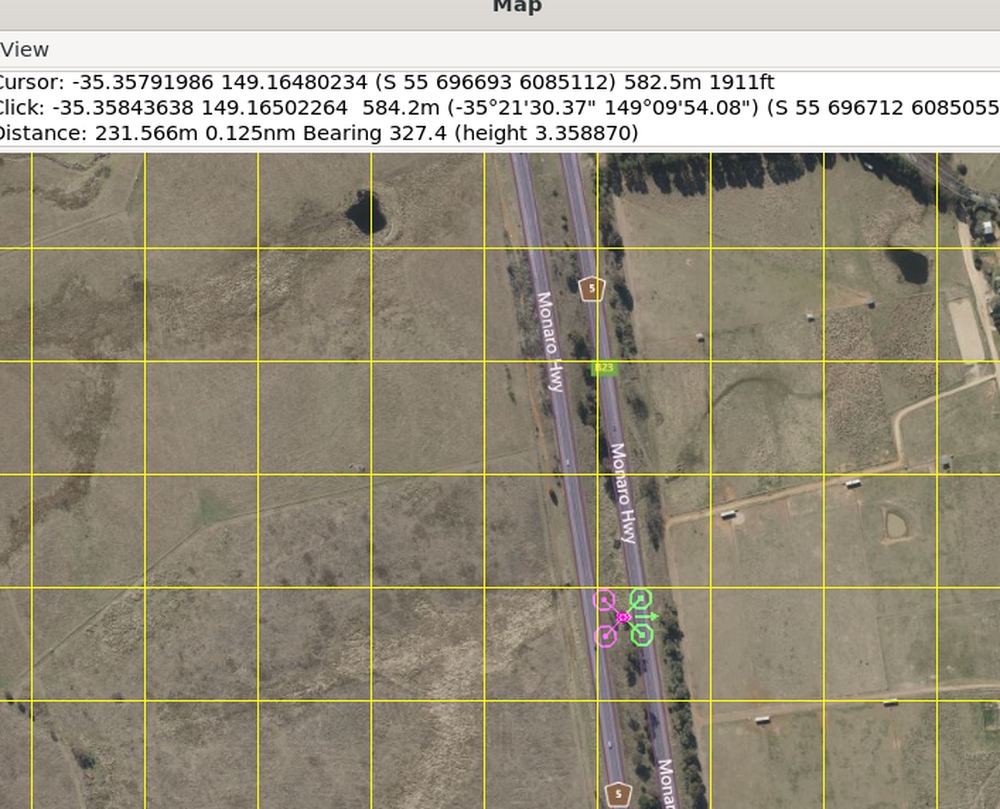
ArduPilot SITL built and flown — arm, takeoff, guided and circle modes confirmed on real flight-control firmware.
Aerial Detection
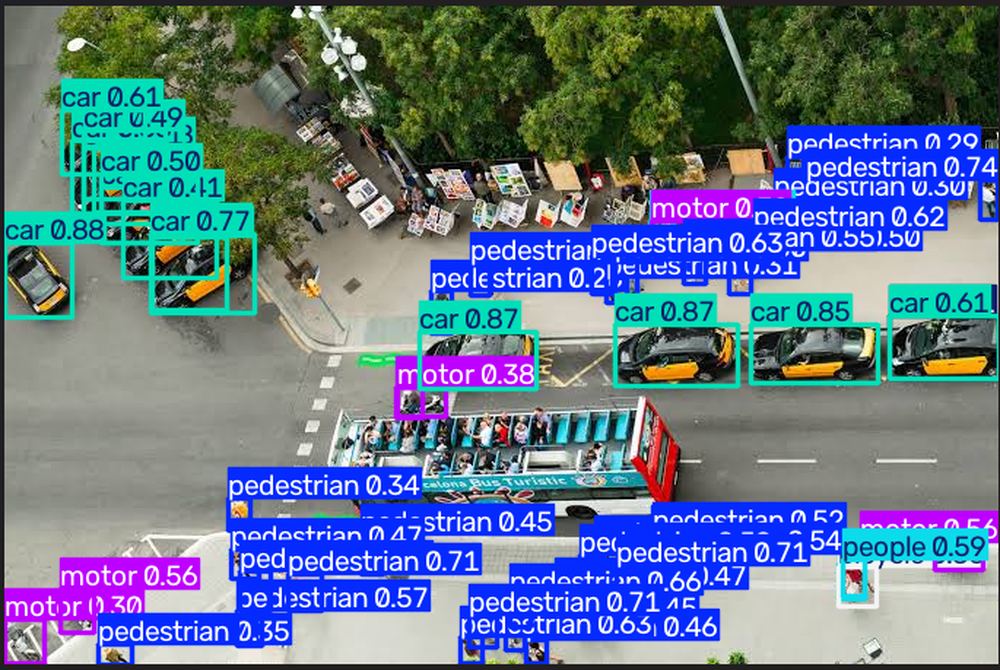
YOLOv8n, VisDrone-tuned, confirmed against real aerial imagery — pedestrians, vehicles, and more.
Telemetry Fusion
Background MAVLink thread streams live GPS position into the detection log without blocking capture.
Live Visual Sync
FlightGear's rendered onboard view and the detector's capture region — actively being hardened for continuous flight.
Built on
ArduPilot SITL
FlightGear 2024.1
YOLOv8n
VisDrone Dataset
pymavlink
MAVLink
Python / OpenCV
WSL2
Build log
A working record of the pipeline coming together — including the moments it broke, because that's the part that actually proves it was built, not assembled from a tutorial.
Verified
Detector proven before integration
YOLOv8n fine-tuned on VisDrone correctly classing pedestrians, cars, and motorbikes on a real drone-view photograph — confirmed sound before any simulation wiring began.
Verified
Flight-to-visual sync achieved
ArduPilot's own bundled quadcopter model rendered live in FlightGear, position and altitude driven entirely by SITL's real flight dynamics over a UDP FDM stream.
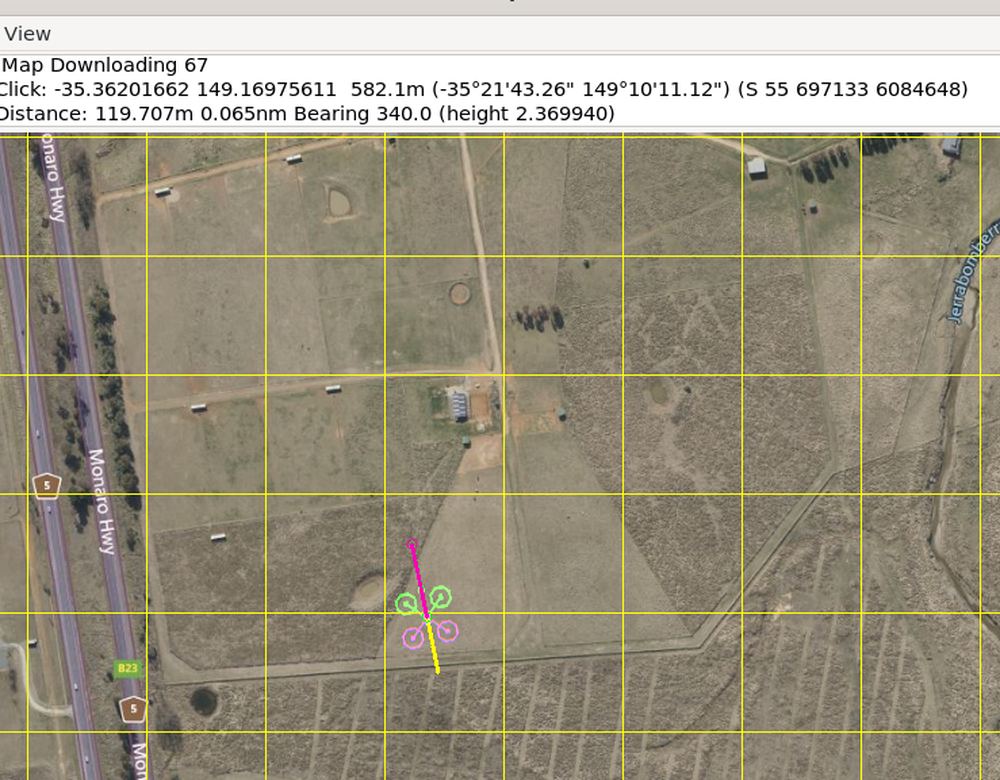
Bug, caught
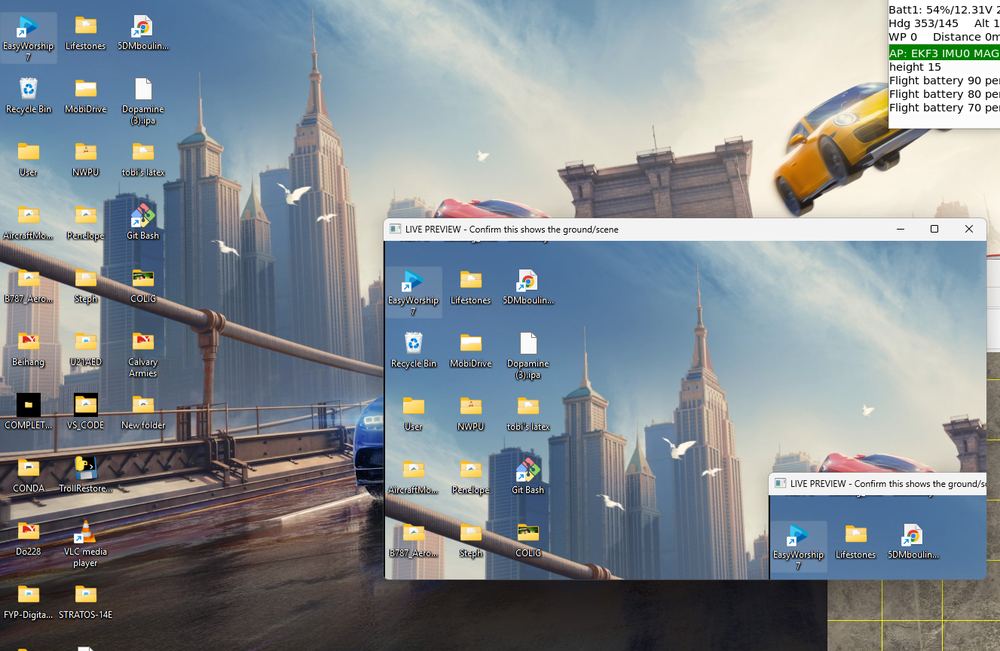
The detector was watching the desktop
An uncalibrated screen-capture region briefly had YOLO reading desktop wallpaper instead of FlightGear's 3D scene — diagnosed and fully root-caused before it touched any logged data.
Fixed
Capture region calibrated and proven
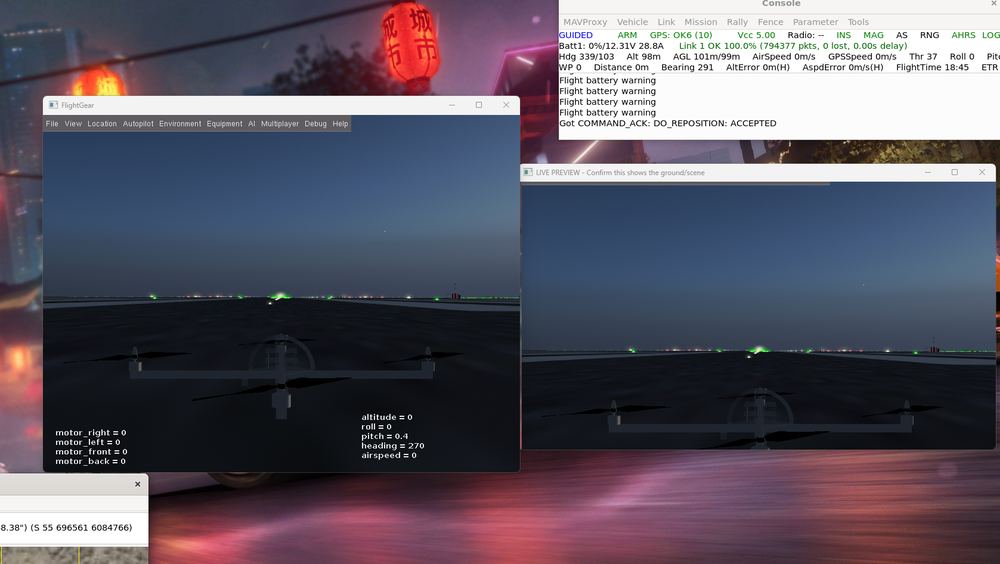
Fixed with programmatic window-geometry verification and a mandatory live preview — the captured feed and FlightGear's actual render now provably match, frame for frame.
Bug, caught
Sync regression, diagnosed by cross-check
A stale background FlightGear instance silently held the telemetry port, freezing the render while SITL genuinely flew — caught by cross-checking FlightGear's own HUD altitude against MAVProxy's console.